Skip to content

You wear every hat. You only need OneTool.

Quote it. Get it signed.
Get paid before you forget.

The whole job lives in one place: the client, the property, the quote, the crew, the invoice. Built to be run from a phone in the truck.

Start free
  • Free forever plan
  • No credit card
  • 14 days of Business, free

Launch offer: up to 50% off. Claim your code at signup.

Example job · Whitfield residence, furnace replacement

Quoted Mon 8:14am → Paid Thu 4:02pm

Quoted

Furnace replacement, 3 line items

Mon 8:14 AM

Signed

Approved from the client's phone

Mon 6:47 PM

Scheduled

Crew B, two-hour window

Wed 9:00 AM

Invoiced

Same numbers, no retyping

Wed 4:30 PM

Paid

Card payment, straight to the bank

Thu 4:02 PM

Three days from “can you take a look?” to money in the bank.

$4,180.00 paid

A white service van parked at a suburban curb before dawn, its rear doors open on a shelved rack of tools

6:41 AM

You're already working. The paperwork should be too.

The old way

Five places to look. One job to do.

Email, a spreadsheet, a notebook, the group text and a sticky note on the dash. A different hat for each one: dispatcher, bookkeeper, scheduler, collections. None of them know about each other, so you become the integration.

The address exists in five handwritings

It's in the thread, on the quote, in the notebook and on the sticky note. Four of them are out of date and you find out which on the driveway.

A spreadsheet only knows what you typed into it

It can't tell you the quote came back signed, that the invoice went out, or that nobody has paid it. It waits for you, usually at nine in the evening.

What it replaces

  • EmailThree replies deep for a gate code
  • SpreadsheetLast updated… Tuesday? By someone?
  • NotebookIn the truck. With the truck.
  • Group text“who's taking Kerr Road?”
  • Sticky note$180 owed, stuck to the dashboard
Five scattered tools (email, a spreadsheet, a notebook, the group text and a sticky note) drop onto one shared record.

One record

Typed once · 08:14

Whitfield Property Group
412 Ashfield Court

  • Contacts
  • Property
  • Quote
  • Signature
  • Visits
  • Photos
  • Invoice
  • Payment

Everything after the first entry reads off this. Nothing gets retyped, so nothing gets out of date.

The new way

One loop. From the first call to the money landing.

01

The client calls

Log them once, with their contacts and every property they own. The history is there next time they ring.

02

You send a quote

Line items, your tax rate, your logo. Reusable products mean you are not pricing a filter change from scratch every week.

03

They sign it on their phone

They open the link with your business name on it, read the quote and sign with a finger. It flips to approved and you see it land.

04

The week fills itself in

An approved quote becomes visits and tasks on the calendar, assigned to a crew. Recurring work repeats without you booking it again.

05

The day comes back in driving order

The morning's stops are sequenced on a real map, so nobody crosses town twice and the last job still finishes on time.

06

The invoice goes out and gets paid

One click off the approved quote, same totals, nothing retyped. They pay by card on the portal and it settles into your account.

07

The chasing runs itself

Overdue invoices get walked, approved quotes turn into jobs, and the client hears from you on schedule. You build the rule once.

08

You ask instead of hunting

Ask for last month's unpaid work or a client's history in plain words, and get the answer out of your own data.

09

You see where the money came from

Revenue, outstanding work and the clients worth keeping, without exporting anything into a spreadsheet first.

01 / 09

Try it yourself

Run the whole job in 30 seconds.

Pick a couple of line items, then send it. You wear every hat: the office, the crew and the client. The money lands without a number retyped.

Line items2 selected
  • 1
  • 1

Tap to add or remove. The document keeps up.

Quote #1042

Whitfield residence

Draft
  • Furnace replacement$3,800.00
  • Quarterly filter change$120.00
Subtotal$3,920.00
Tax (8%)$313.60
Total$4,233.60

Sign & pay from any phone, with no app or login.

  1. Quote
  2. Signed
  3. Invoice
  4. Payment sent
  5. Paid

Want the real thing? Start free

Two things it buys back.

Money that arrives sooner, and the evening you currently spend catching up on paperwork.

Money

Stop being the last person to get paid.

The client signs the quote on their phone and pays the invoice by card on the same link, under your business name. With Stripe Connect it lands straight in your own bank account.

Without the thirty-day wait and the two reminder phone calls.

Time

The evening admin shift, deleted.

Quotes turn into scheduled visits. Approved work turns into invoices. Recurring jobs put themselves on next month's calendar. You stop retyping the same address into four places.

  • Typing the address into the quote, the calendar and the invoiceOnce
  • Remembering to chase last month's unpaid invoiceAutomatic
  • Rebuilding the quarterly service job every quarterRecurring
  • Finding the last email thread with a clientOn their record

What's inside

Everything the job touches, in one record.

Clients & properties01

Every quote, visit, invoice and email for this client hangs off this one record. Nothing lives in a spreadsheet you have to remember to open.

Schedule & crew02

Recurring work like weekly mows and quarterly filter changes repeats itself, and lands on the crew's phone with the address and notes already on it.

Inbox & assistant03

Email to and from a client stays beside their jobs, and the assistant turns a sentence into the task, the route or the report, showing its work as it goes.

Your numbers

Know where the month stands without opening a spreadsheet.

Set a revenue goal and watch it fill. See what's quoted, what's outstanding, and which clients are worth the drive, read straight off your real quotes and invoices.

Revenue · last 6 monthsIllustrative figures
$38,42077% of $50,000 goal

Compare

One price for the whole crew.

Jobber reprices every plan as your team size grows, then adds $29 a month for each user past the bundled allowance. Housecall Pro’s entry plan covers one person, and extra seats are sold only on its top plan. Joby prices flat like we do, and starts at $89. OneTool is one flat price for a crew of up to 20.

On the job

Your whole day’s work, in your pocket.

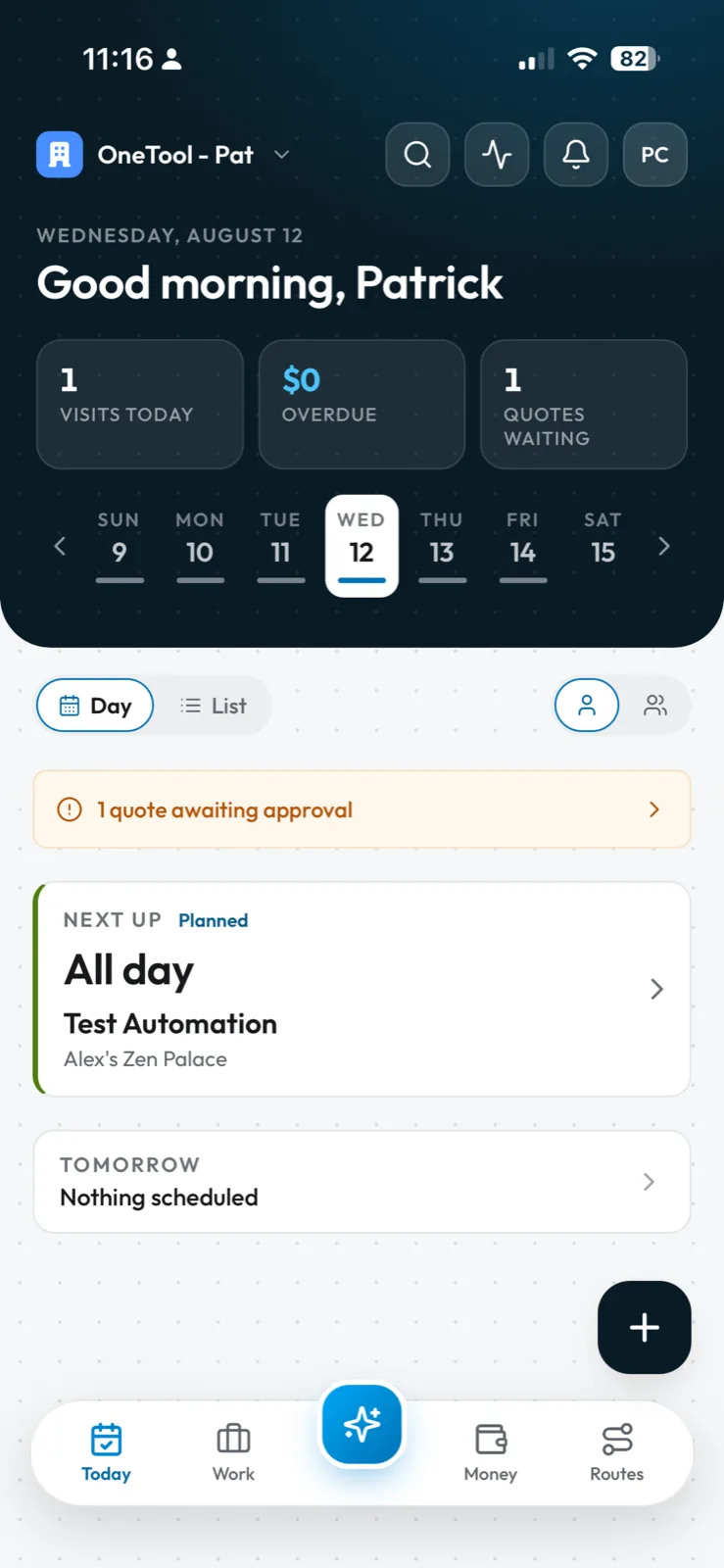
The iOS app shows the same visits, clients and numbers as the web app, updated the moment anyone touches them. Write the visit up in the driveway and it is on the office screen before you turn the key.

  • Real-time sync between phone and web
  • The day’s visits, addresses and notes on your phone
  • Switch between organisations on the go

Working with no signal at all is coming — for now the app needs a connection.

Get it on the App Store
A hand holding a phone above a paper job log on a clipboard, in the cab of a work truck

Switching over

Bring the list you already have.

Export a CSV from whatever you use today, even the spreadsheet on the office laptop. OneTool reads it, works out which column is which, and matches names to clients you already have.

214 rows read · 4 shown

Two crew members pushing mowers up a suburban street toward a low golden sunset, their trailer and truck parked at the curb

5:48 PM

The paperwork already did itself.

The invoices went out on their own, and tomorrow is already routed.

Pricing

Free until you outgrow it.

Every new organization starts with two weeks of Business, no card required. After that, stay free as long as you like and upgrade the week it starts paying for itself. If you’d rather be walked through it first, book a demo and we’ll call you.

Free

Enough to run a one-van operation and see if this fits.

$0/ month

Starts with a 14-day trial of Business. Free forever after, no card required.

Start free

What you get

  • Unlimited clients and projects
  • 5 team members
  • 20 quote and invoice sends a month, +10 in months you collect a payment
  • 5 e-signature requests a month
  • AI assistant, 10 messages a day
  • 5 saved custom reports
  • AI client import, up to 2,000 rows
  • Online card payments through Stripe

Business

Most popular

Best value for a growing crew: every limit lifted, and up to 20 people on one flat price.

$30/ month

Per organisation, 20 seats included. Cancel any time.

Launch offer: 50% off your first 3 months. Claim your code at signup. Ends November 23.

Start free, upgrade later

What you get

  • 20 team members
  • Unlimited sends and e-signatures
  • Unlimited AI messages, reports and imports

Everything in Free, plus

  • Workflow automations
  • Route optimization for the day's jobs
  • QuickBooks sync
  • AI report generation
  • Remove the OneTool badge from your client portal
  • Priority support with 24-hour SLAs

FAQ

Straight answers

Anything else, email support@onetool.biz and a person replies within a day.

  • OneTool is a comprehensive business management platform designed for small business owners, contractors, landscapers, HVAC technicians, electricians, and other service professionals. It streamlines client management, project tracking, quoting, invoicing, and task scheduling in one unified platform.

  • OneTool provides a centralized database for all your client information, including contact details, service history, property information, and communication logs. You can easily search, filter, and organize clients, set up automated reminders, and track every interaction to deliver exceptional service.

  • Yes! OneTool includes a powerful quoting and invoicing system. Create customized quotes with line items, taxes, and your company branding. Send them directly via email with e-signature capabilities for quick approvals. Convert approved quotes to invoices with one click and track payment status.

  • Yes, on every plan, including Free. Connect a bank account through our Stripe integration and clients pay their invoices by card from your client portal, with the money landing in your own Stripe account.

  • Yes, we offer the ability to draft professional emails to clients from directly within OneTool. We also support email threads so you can keep track of responses and replies without having to leave OneTool.

  • Absolutely. OneTool is built as a responsive web application that works seamlessly on smartphones, tablets, and desktop computers. We also have a native iOS app available now on the App Store that lets you view and manage your projects, tasks, and clients for each organization you're part of - all on the go. Access your data and stay productive from anywhere with an internet connection.

  • OneTool's task scheduling system lets you create tasks, assign them to team members, set due dates and priorities, and track completion status. You can view tasks in list or calendar format, set reminders, and get notifications when tasks are completed or overdue.

  • Yes! OneTool supports team collaboration with organization-based access. Add team members to your organization, assign roles and permissions, and work together in real-time. Everyone stays synchronized with instant updates across all devices. The free plan includes 5 team members and the Business plan includes 20.

  • We provide detailed documentation, video tutorials, and email support. Free accounts get best-effort replies; Business accounts get priority support with a 24-hour response SLA.

  • Security is our top priority. OneTool uses industry-standard encryption for data transmission and storage. Your data is hosted on secure servers with regular backups, and we comply with data protection regulations. You maintain full ownership of your data and can export it at any time.

  • Yes! OneTool supports CSV imports on every plan, making it easy to migrate your existing client data. Simply export your data from your current system, map the fields, and import it into OneTool. The free plan includes 2,000 imported rows in total, and the Business plan has no import limit.

  • Every new organization starts with a 14-day trial of the Business plan, applied automatically when it is created. There is no credit card and nothing to cancel: when the trial ends, you simply continue on the free plan with all of your data intact. Upgrade from the Billing tab whenever it makes sense.

  • Yes. Through November 23 we are running a launch offer: 20% off your first year of Business on the annual plan, or 50% off your first 3 months on monthly. Your promo codes are shown when you create your organization and on the Billing tab, and you enter one at checkout under "Add promo code".

  • Clients and projects are unlimited on every plan. The free plan includes 5 team members, 20 quote and invoice sends a month (plus 10 bonus sends in any month you collect a card payment), 5 e-signature requests a month, 10 AI assistant messages a day, 5 saved reports, and 2,000 imported CSV rows in total. The Business plan lifts every one of those limits and includes 20 team members.

  • You can cancel your subscription at any time, and you keep paid features until the end of your current billing period. Cancelling never deletes anything: your account simply continues on the free plan with all of your data intact, for as long as you keep it. Subscription fees are generally non-refundable, but we always correct genuine billing errors, and EU customers have a 14-day withdrawal right on their initial purchase.

Free plan · no card required

Send your first quote before lunch.

Add a client, build a quote, send it for signature, and hang up a hat or two while you're at it. You can be doing that ten minutes from now. There is nothing to install, and nobody you have to talk to first.

Book a demo

Want a walkthrough instead? Leave your details and a real person gets back to you within a day to find a time.